
Free Invoice Builder

Invoice Builder for growing businesses

Create professional GST and Tax invoices in minutes. Choose from modern templates, add your branding, embed UPI QR codes, and send polished invoices instantly — no accounting software needed.
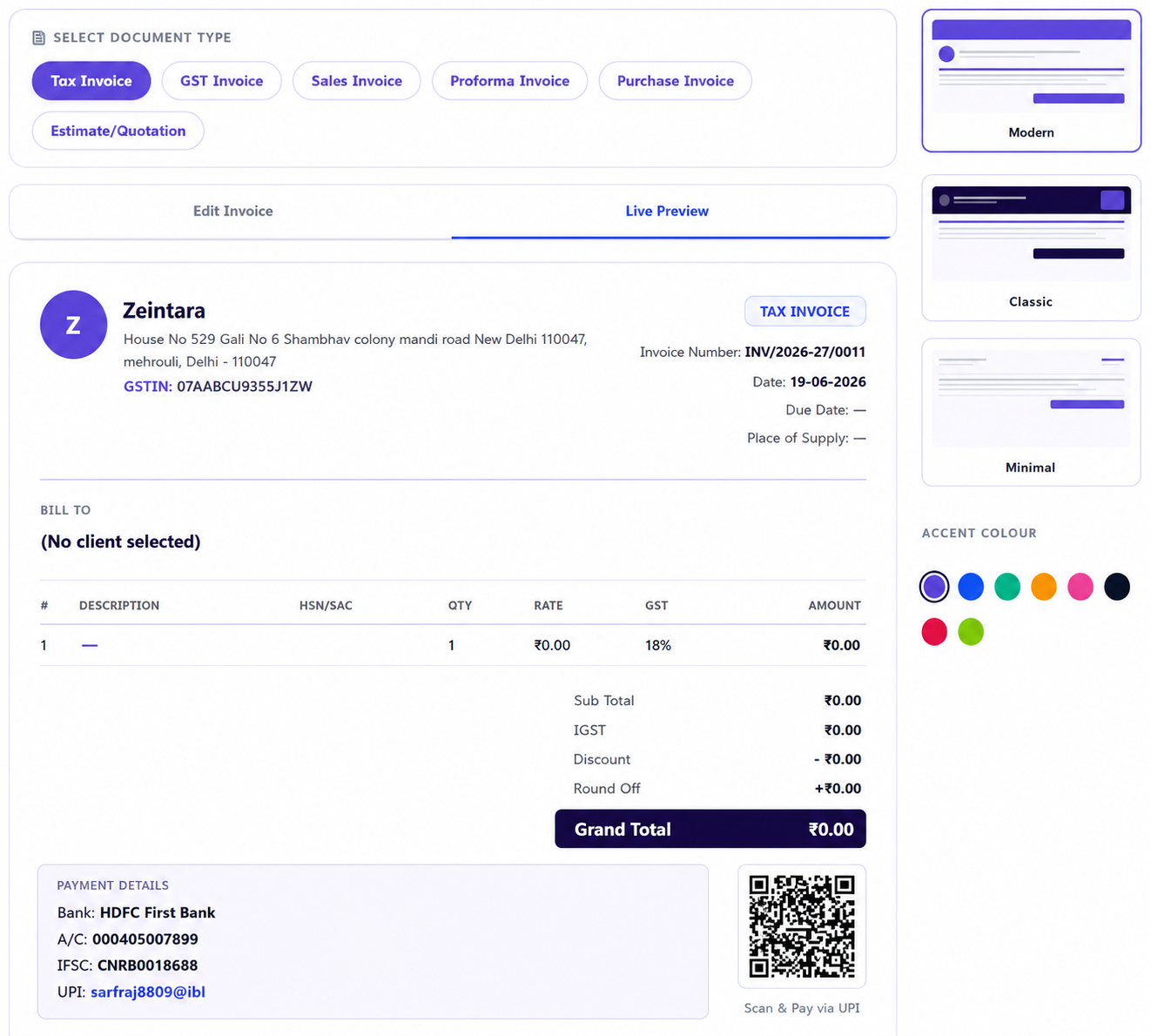
12+Templates
GSTCompliant
24×7Available
Invoice Builder

Pick a style that fits your brand

MOST POPULAR

Classic GST

Dark header, bold branding. Great for consultants and agencies billing enterprise clients.

Use Template
CLEAN

Minimal Blue

Light, modern layout with a clean colour palette. Ideal for freelancers and small businesses.

Use Template
EYE-CATCHING

Bold Accent

Vibrant accent colors and modern typography. Perfect for creative professionals and startups.

Use Template

Everything you need to bill clients

GST-Ready Invoices

Tax Invoice, Bill of Supply, GST Invoice and more — all formats with GSTIN, HSN, IGST, CGST and SGST fields built in.

UPI QR Payments

Embed a scannable UPI QR code directly on your invoice. Clients pay instantly via PhonePe, GPay, Paytm, or any UPI app.

Multiple Templates

Pick Modern, Classic, or Minimal styles. Customise accent colors to match your brand identity with a single click.

Lightning Fast

From setup to PDF in under 2 minutes. Pre-fill client details, auto-calculate taxes, and generate a professional invoice instantly.

Compliant & Safe

Built for Indian regulations — sequential invoice numbers, audit trails, and GST compliance baked in from day one.

Export & Share

Download pixel-perfect PDFs or share a payment link directly with clients. All invoices stored securely in your dashboard.

UPI QR built into every invoice

Embed a UPI QR code in invoices for fast and hassle-free payments.
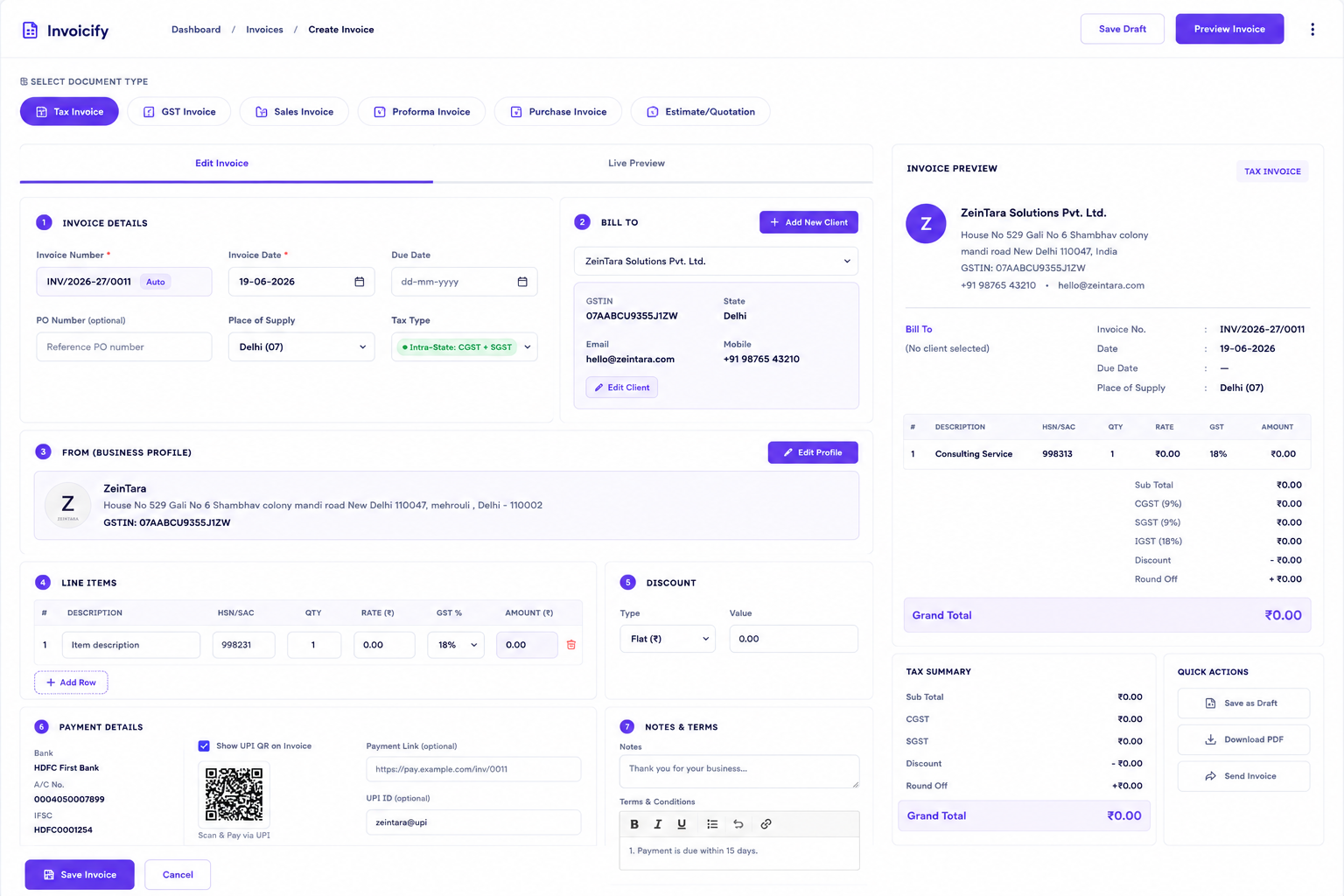
Works with all UPI apps PhonePe, Google Pay, Paytm, BHIM — any app that supports UPI.
Link your own UPI ID Set your UPI ID once in your business profile or override it per invoice.
Printed clearly on PDF The QR code renders on the downloaded PDF so clients scan right from a printout.
Invoice Builder Preview

From blank to billed in 4 steps

1

Choose a Template

Pick Modern, Classic, or Minimal — then select your accent color.

2

Add Your Details

Fill in client info, line items, taxes, and any discount or notes.

3

Attach UPI QR

Enter your UPI ID — a scannable QR is auto-embedded in the invoice.

4

Send & Get Paid

Download a PDF or share a link — clients pay instantly via UPI.